Reference Readings - UAP Community Portal
Portal Website
Portal websites are simply websites designed for a particular target audience providing them with direction. For following is a simple list of portal examples:
- A medical doctor portal could be a website providing access to various resources often used by doctors such as prescription drugs databases, diagnostic tools, patient medical records, etc.
- A police portal could be a website providing links and directions to criminal database, law database and other useful information to police officers.
- Employee portal
could be a website providing quick links to their email systems, human
resource management information system, accounting system and various
others.
Community Digital Portal
Just like above your community digital portal provides you with links to various useful tools and resources along with links to training material to refresh your memory or train new users. The community portal is developed for rural communities only just starting to use technology. You would normally be automatically redirected to the Community Portal home page automatically otherwise you can always access it at http://portal.nuzusys.com/ which looks like the following illustration on large displays.
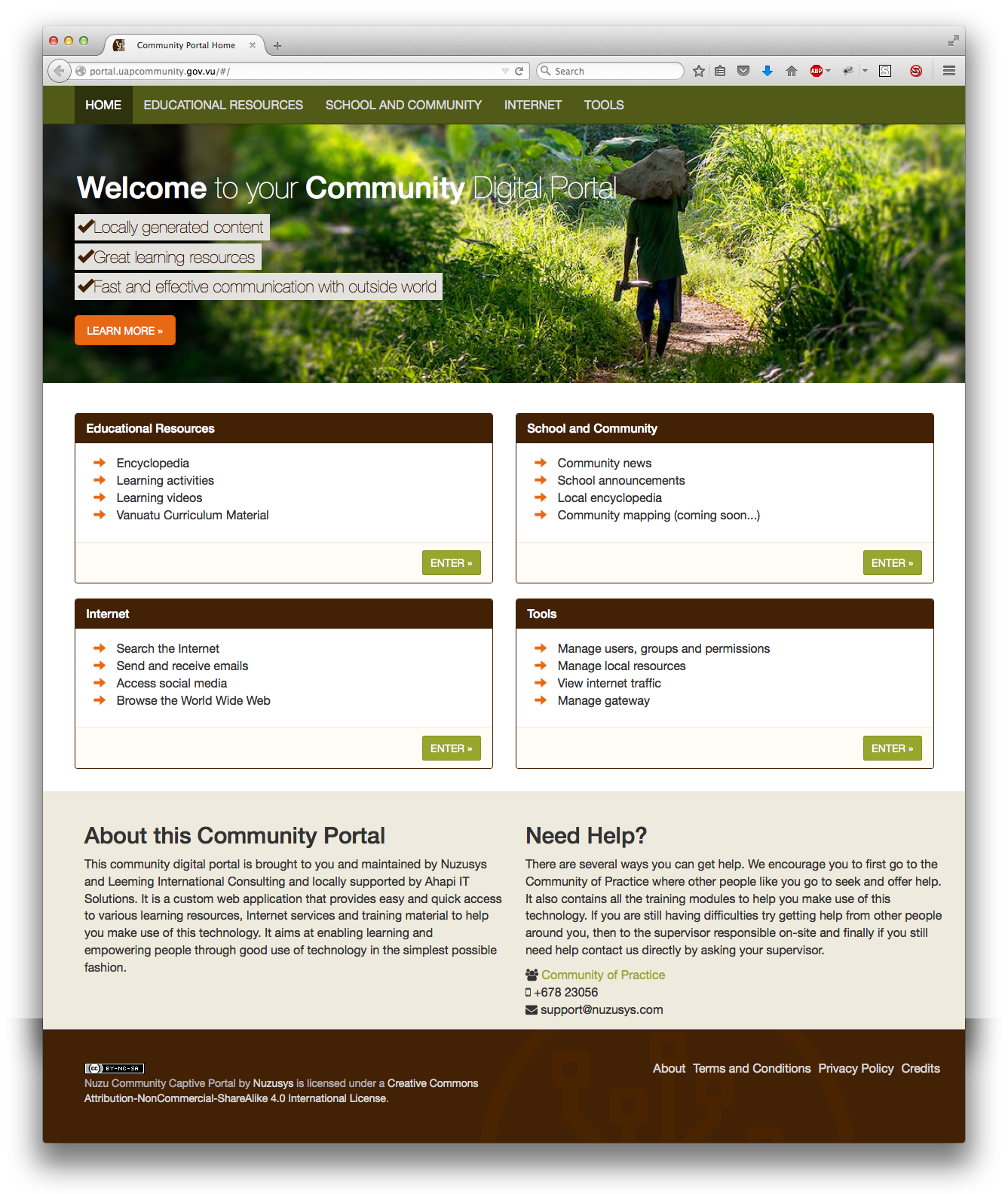
The simplest and best way to learn about your Community Portal is to explore it by clicking links to see what happens. There is an About page which summarises the whole portal. You can access the About page from the home (as shown in above figure) by clicking on Learn More or from anywhere on the site at the bottom to the right the About link.
If
you are accessing the network with smaller devices such as Tablets then
the portal will look a little different but it is all the same
information. It will look something like below.
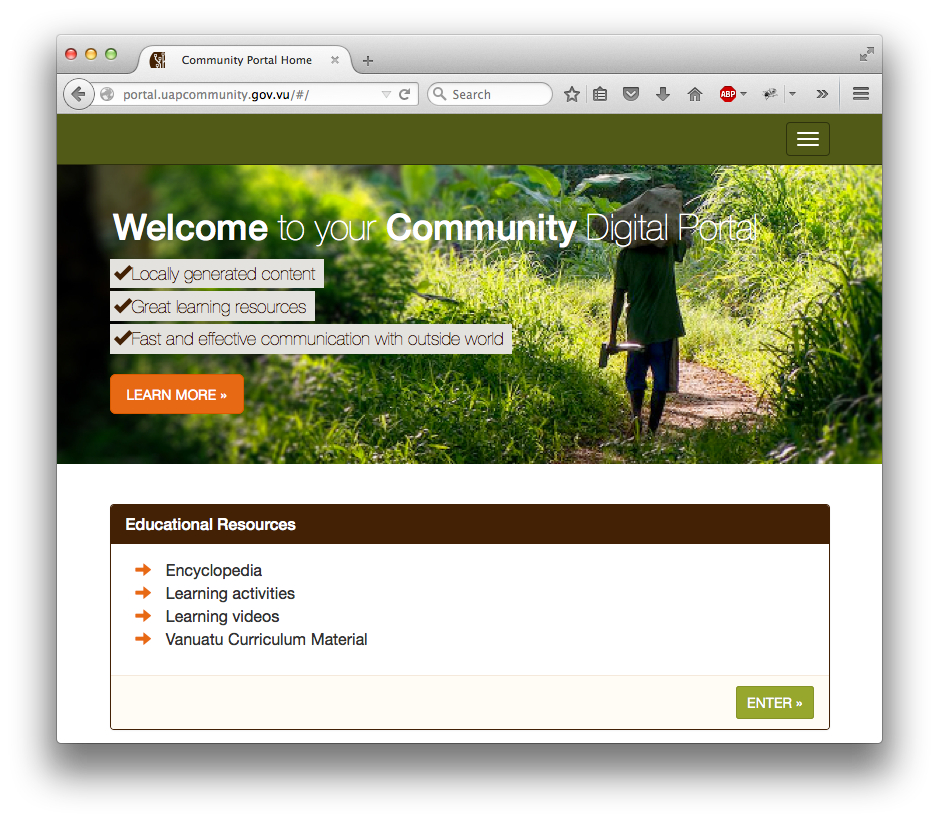
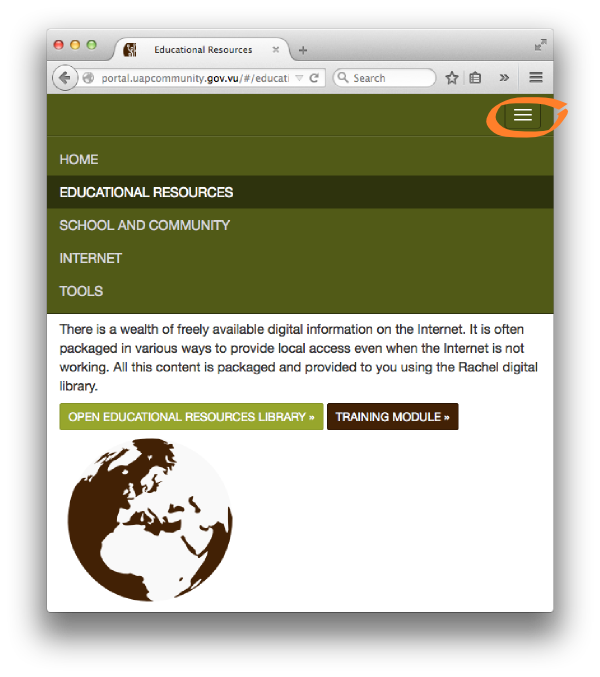
You will have to click on the orange circled menu button to display the top menu, and you would click that same button again to close the top menu.
Community Digital Portal Convention
The
Community Portal work much like a normal website. There are a few
things to aim at making usage a bit more simple. They are listed here. Green
buttons are links to a tool or resource that is directly available on
the UAP Gateway and Server as a locally accessible service or resources,
those are great as they will be fast and always available whether or
not the Internet is working
Green
buttons are links to a tool or resource that is directly available on
the UAP Gateway and Server as a locally accessible service or resources,
those are great as they will be fast and always available whether or
not the Internet is working Brown
buttons are links back to this Community of Practice normally directly
to the training module for the particular system or resource
Brown
buttons are links back to this Community of Practice normally directly
to the training module for the particular system or resource Other
green text links are links to resources not available on the UAP
Gateway and Server but on the Internet and may or may not always be
available. It will depend on whether or not the Internet is working.
Other
green text links are links to resources not available on the UAP
Gateway and Server but on the Internet and may or may not always be
available. It will depend on whether or not the Internet is working.