Reference Readings - Live Backup Process
If you have successfully prepared your external hard disk as in the previous topic then you have done most of the work already. Doing the actual backup is the easy part.
Connecting the External Hard Drive
Simply plug the external USB hard disk to the server and wait for 10-15 seconds. The server will automatically mount the hard disk and make it available for use as backup storage.
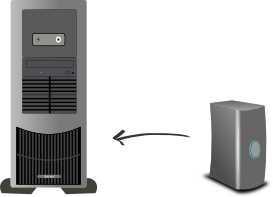
You are ready to do the backup
Execute the Backup
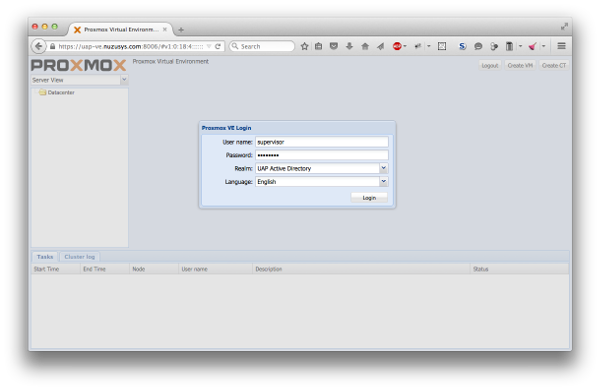
You can execute the backup from a web browser. You can access the system where you can make the backup from within your Community Portal in Tools -> For Supervisors -> Backup -> Enter. You will be directed to the system where you can do backups. It should look like the following illustration and you will have to enter the correct credentials to login.
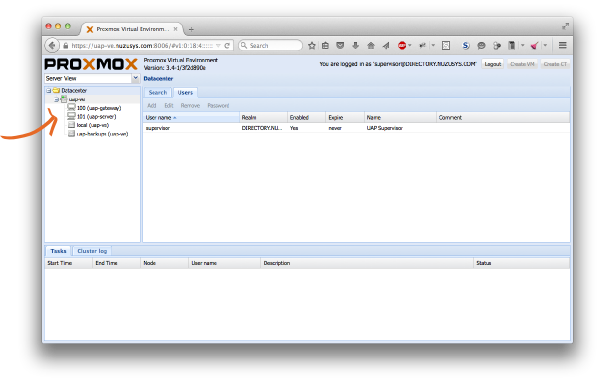
Once logged in you can backup the UAP Gateway and Server. There are in fact two machines to backup: the Gateway (uap-gateway) and the Server (uap-server). You can easily locate them on the left side by clicking the + sign to open the uap-ve as shown near the orange arrow in the following image.
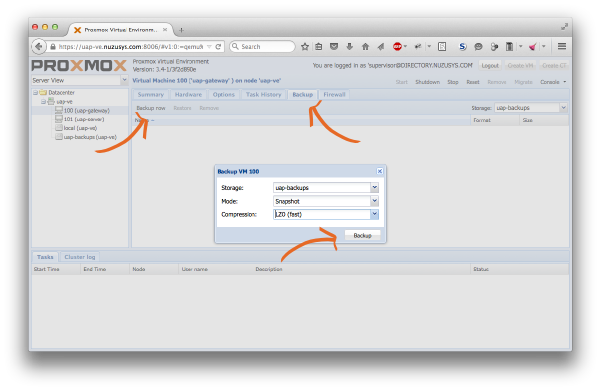
You need to backup both machines one by one. The process is the same so only the uap-gateway will be shown here. From the left side panel select the uap-gateway. A different set of tabs will appear in the main window panel. Select the Backup tab and press the Backup Now button as shown below. Finally, click on Backup to start the backup.
The backup process will begin and you should see something like the following illustration.
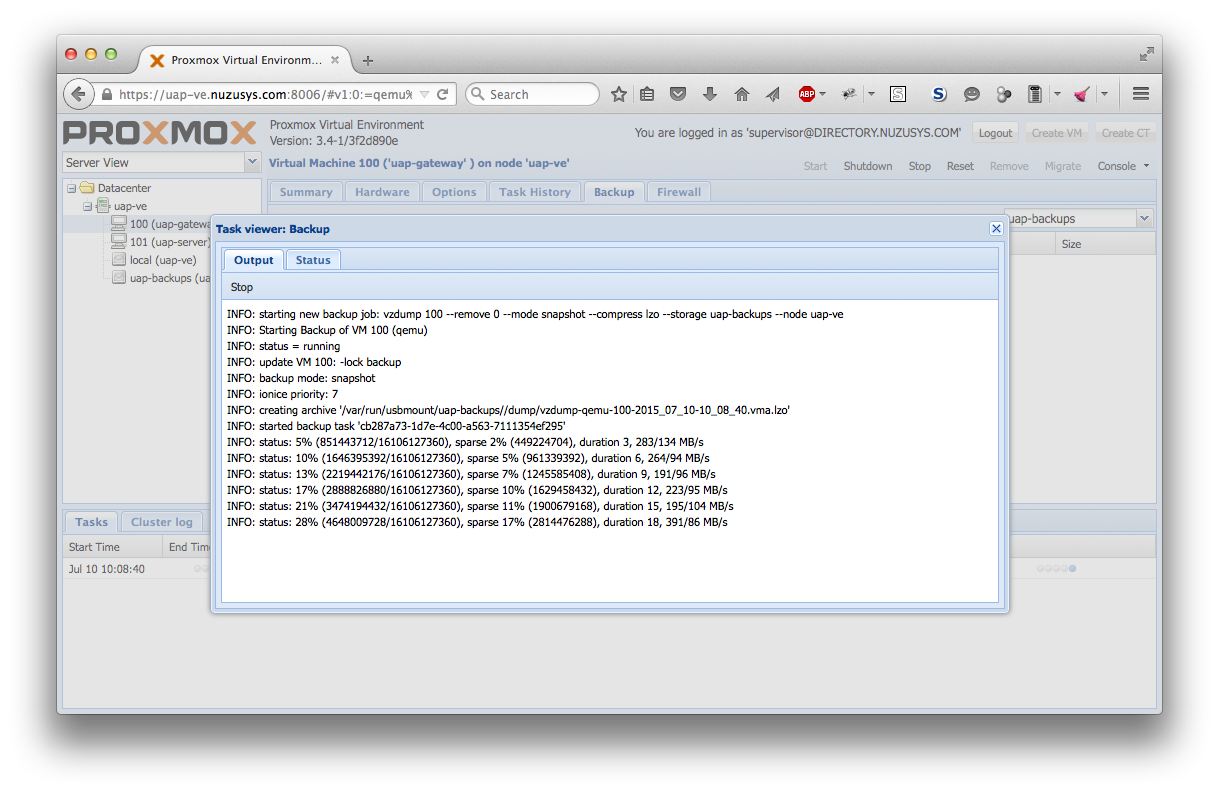
Wait until the process completes at 100% and close the window, although you could close the window in the process and the backup would continue and still complete. You can always pull back the backup process window again by double clicking the backup task from the bottom panel.
Disconnect the External Hard Drive
You could if you wanted leave the external backup connected at all time and periodically backup as instructed. You could even automated this process at regular interval such as daily or weekly and only keep the most recent backups. The main disadvantage to this approach is if you get a major problem in the building where both are locate then both copy are at risk (e.g. a thief stealing both server and backup disk, a fire destroying building and everything inside).
It is a good idea (though more work) to disconnect the hard disk and bring it to another secure location such as the house of the supervisor. You should never simply pull the USB cable from the server as this could result in corrupt backups. The external hard disk must be removed safely which can currently only be done from the command line. You will need access to a terminal on the network (Linux has Terminal, Mac OS X has Terminal, Windows can user Putty, and Android tablets can also use a Terminal.). Launch the terminal and securely login the UAP Gateway and Server virtual environment (uap-ve).
$ ssh supervisor@uap-ve.uapcommunity.gov.vu
supervisor@uap-ve:/$ umount /media/usb0
supervisor@uap-ve:/$ exit
$ exit
That's it. Pull the plug of the USB hard disk out of the server and bring it somewhere safe. Bring it back every week or so to do your backups otherwise you will eventually loose you data.